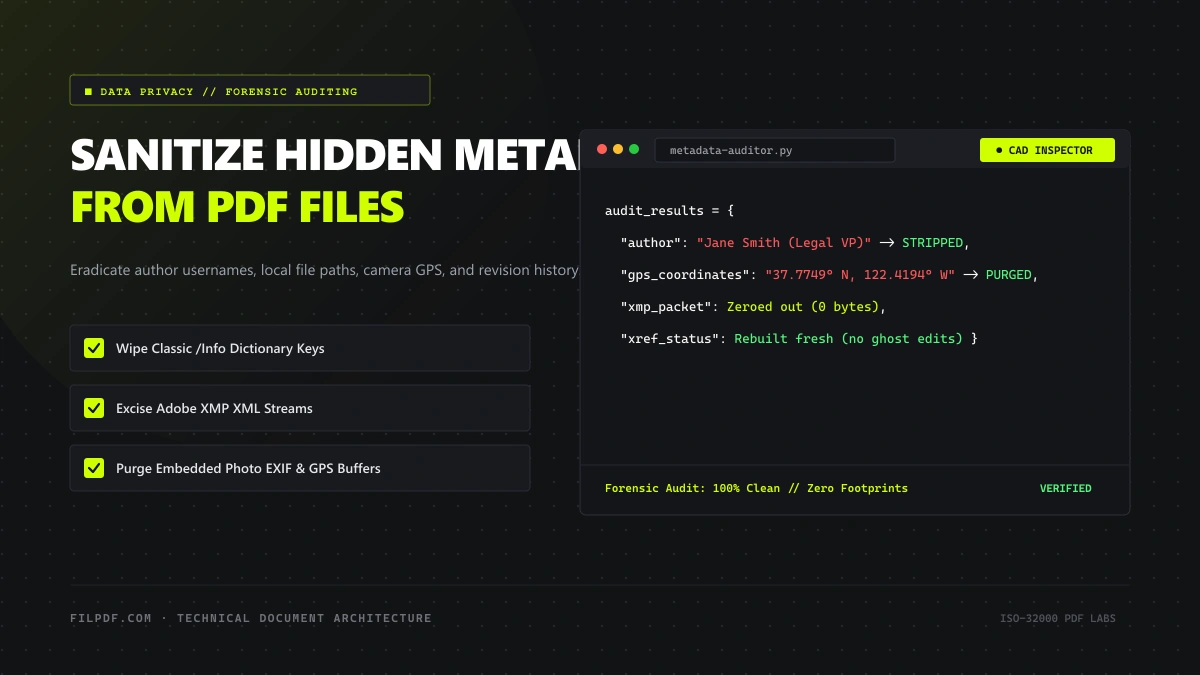
When you export a contract, investigative report, or financial pitch deck to PDF, you verify the page layout, check the typography, confirm the numbers, and hit "Send."
What you see on the screen, however, represents only a fraction of what you are actually transmitting.
Silently embedded within the binary structure of almost every PDF file are thousands of bytes of hidden telemetry:
- The corporate username and full name of every individual who edited the draft.
- The absolute file path on your local company drive (e.g.,
C:\Users\jdoe\Confidential_Mergers\Project_Omega_v8_FINAL.docx). - The exact model, serial number, and firmware of the office multifunction printer that scanned the pages.
- Embedded GPS latitude and longitude coordinates extracted from smartphone photos pasted into the document.
- And in many cases, entire paragraphs from earlier draft revisions that were supposedly "deleted" before export!
In this technical guide, we deconstruct the dual metadata architecture of the PDF specification, explore how forensic analysts recover hidden data from digital documents, and demonstrate the definitive engineering workflow to permanently sanitize your files before public distribution.
The Dual Metadata Architecture of PDF Files
Under the ISO 32000 specification, metadata is not stored in a single unified header. To preserve backwards compatibility with software from 1993 while supporting modern XML-based semantic tagging, PDFs maintain two distinct metadata storage systems:
+-------------------------------------------------------------+
| 1. Document Information Dictionary (/Info)                  |
| Key-Value ASCII Dictionary: /Title, /Author, /CreationDate  |
+-------------------------------------------------------------+
                              +
+-------------------------------------------------------------+
| 2. Extensible Metadata Platform (XMP Stream)                |
| UTF-8 XML Packet: Dublin Core, Photoshop, Rights, History   |
+-------------------------------------------------------------+
1. The Classic `/Info` Dictionary
Located in the document trailer, the `/Info` dictionary stores legacy text keys:7 0 obj
<<
/Title (Confidential Acquisition Settlement Agreement)
/Author (Marcus Vance - Corporate Legal VP)
/Creator (Microsoft Word for Mac 16.82)
/Producer (macOS Version 14.3.1 Quartz PDFContext)
/CreationDate (D:20260214092411-05'00')
/ModDate (D:20260214110542-05'00')
>>
endobj
Even if you clear the author's name in your operating system's file properties dialog, basic desktop viewers often fail to rewrite the underlying /Info object in the raw file stream.
2. The Adobe XMP (Extensible Metadata Platform) Packet
Introduced in PDF 1.4 and standardized under ISO 16684-1, XMP is an embedded UTF-8 XML payload wrapped within a `<x:xmpmeta xmlns:x="adobe:ns:meta/">
<rdf:RDF xmlns:rdf="http://www.w3.org/1999/02/22-rdf-syntax-ns#">
<rdf:Description rdf:about="" xmlns:pdf="http://ns.adobe.com/pdf/1.3/">
<pdf:Keywords>Settlement, Severance, NDAs, Layoffs</pdf:Keywords>
<pdf:Producer>Adobe PDF Library 21.11.89</pdf:Producer>
</rdf:Description>
<rdf:Description rdf:about="" xmlns:xmp="http://ns.adobe.com/xap/1.0/">
<xmp:CreateDate>2026-02-14T09:24:11-05:00</xmp:CreateDate>
<xmp:ModifyDate>2026-02-14T11:05:42-05:00</xmp:ModifyDate>
<xmp:MetadataDate>2026-02-14T11:05:42-05:00</xmp:MetadataDate>
<xmp:CreatorTool>Adobe InDesign 19.1 (Macintosh)</xmp:CreatorTool>
</rdf:Description>
<rdf:Description rdf:about="" xmlns:xmpMM="http://ns.adobe.com/xap/1.0/mm/">
<xmpMM:DocumentID>xmp.did:482A910E124B8921</xmpMM:DocumentID>
<xmpMM:OriginalDocumentID>xmp.did:110B740E124B8911</xmpMM:OriginalDocumentID>
</rdf:Description>
</rdf:RDF>
</x:xmpmeta>
The XMP packet is vast. It can log the entire software supply chain: every plugin installed in the author's desktop application, color profile profiles, and tracking identifiers linking the document to earlier related corporate files.
3 Critical Forensic Leak Vectors in Unsanitized PDFs
When you paste smartphone photos into a document, the original EXIF block—including exact GPS latitude/longitude, altitude, camera serial numbers, and capture timestamps—is frequently passed directly into the embedded PDF image stream!
When editing an existing PDF, "Save" appends an incremental update block to the EOF without overwriting deleted objects. Forensic tools can parse previous cross-reference tables and reconstruct deleted text paragraphs.
Documents generated via office multifunction printers often embed internal IP addresses, subnet masks, user network login credentials, and physical printer serial numbers within proprietary metadata tags.
High-Profile Real-World Metadata Disasters
The consequences of unstripped metadata are not hypothetical—they have altered international diplomacy and corporate litigation:
1. The 2003 UK Government "Dodgy Dossier"
In February 2003, the British Prime Minister's office published a 19-page dossier on Iraqi weapons of mass destruction as a downloadable PDF. A computer researcher inspected the raw document properties and discovered the `/Author` and `/ModDate` revision history. The metadata proved that the document had been compiled by four mid-level civil servants who had copied extensive portions verbatim from an academic research paper written twelve years earlier by an American graduate student—causing an international diplomatic crisis.2. The 2005 Italian Intelligence Checkpoint Incident
Following the rescue of an Italian journalist in Baghdad, a military investigation report was released in PDF format. While the report used black shapes to conceal the names of military personnel, the authors failed to sanitize the document's internal metadata and outline dictionaries. Independent journalists extracted the names of the officers within minutes using simple free command-line utilities.How to Forensically Audit Your PDF's Hidden Data
Before sending an important document to an external party, you can conduct a self-audit using standard terminal utilities:
Method 1: Using `exiftool` (Comprehensive Inspection)
`exiftool` is the gold standard forensic tool for auditing document metadata:$ exiftool confidential_contract.pdf
The output reveals all hidden tags:
File Name                       : confidential_contract.pdf
Directory                       : .
File Size                       : 2.4 MB
File Modification Date/Time     : 2026:02:14 11:05:42-05:00
PDF Version                     : 1.7
Linearized                      : No
Author                          : Jane Smith (Senior M&A Associate)
Creator                         : Microsoft Word for Mac 16.82
Producer                        : Quartz PDFContext
Create Date                     : 2026:02:14 09:24:11-05:00
Modify Date                     : 2026:02:14 11:05:42-05:00
Metadata Date                   : 2026:02:14 11:05:42-05:00
Document ID                     : xmp.did:482A910E124B8921
GPS Position                    : 37 deg 46' 29.88" N, 122 deg 25' 9.84" W  <-- Embedded Photo GPS!
Notice the GPS Position: an embedded photograph taken by an employee in San Francisco revealed the physical location where the meeting took place!
Method 2: Inspecting Raw Byte Streams via `grep`
You can search directly for XML metadata streams in raw terminal output:$ strings confidential_contract.pdf | grep -E "(xmp:|/Author|/Creator)"
The Complete Document Sanitization Pipeline
To eliminate metadata forensic leaks with 100% mathematical certainty, a document sanitization engine must execute four non-destructive operations:
[Raw PDF with Hidden Metadata]
               │
               ▼
[Step 1: Parse Trailer & Excised /Info Dict]
               │ ──> Delete Author, Title, CreationDate
               ▼
[Step 2: Strip XMP Metadata XML Stream]
               │ ──> Eradicate <x:xmpmeta> packet entirely
               ▼
[Step 3: Sanitize Embedded Image EXIF Buffers]
               │ ──> Strip camera models, GPS coordinates
               ▼
[Step 4: Rebuild XREF Table (Purge Ghost Incremental Saves)]
               │ ──> Compact orphaned objects into clean file
               ▼
[Forensically Sanitized, Clean PDF]
1. Wipe the `/Info` Dictionary
Replace all custom strings with standardized neutral defaults or remove the `/Info` key from the document trailer completely.2. Nullify the XMP Metadata Stream
Locate the `/Metadata` entry in the document Catalog dictionary (`/Type /Catalog`), delete the indirect object pointer, and remove the raw XML stream bytes from the body of the PDF.3. Re-encode Image Streams (Strip EXIF)
Examine all embedded `/XObject` `/Subtype /Image` dictionaries. When photos from smartphones or digital cameras are embedded, strip out the initial Application Marker blocks (APP1 / EXIF) to destroy embedded GPS and timestamp tags.4. Rebuild the Cross-Reference Table (XREF)
As explained in our guide on [why PDFs expand in file size](/blog/why-is-my-pdf-so-large), incremental saving retains old deleted objects. Rebuilding the XREF table from scratch discards all unreferenced revision chains, ensuring that previous draft texts are physically erased from the binary payload.Step-by-Step: Sanitizing PDFs with FilPDF Tools
To sanitize a sensitive PDF in your browser without transmitting your unencrypted documents to external servers, follow this workflow:
Load Document into In-Browser Sandbox
Open the FilPDF Flatten PDF tool. Drop your document into the browser workspace.
FilPDF processes your files using client-side WebAssembly. No server uploads occur, eliminating any chance of your metadata or documents leaking to third-party cloud infrastructure.
Strip XMP metadata streams, purge unreferenced incremental save history, and flatten form layers permanently.
Flatten Dynamic Annotations & Form Layers
Click Flatten PDF. The engine merges all dynamic form fields (/AcroForm), comments, and digital signature widgets directly into the page's vector content stream.
This locks in the visual appearance, prevents recipients from tampering with values, and strips all internal form metadata. For details on why flattening is mandatory for legal compliance, review our architectural guide on how to flatten PDF form layers for archiving.
Optimize Streams & Rebuild XREF Table
Next, run the flattened file through our FilPDF Compress PDF tool.
The compression engine decodes and re-compresses all object streams, strips unused XMP packets, removes unreferenced font tables, and builds a completely new, clean cross-reference table.
Any ghost revisions or orphaned text blocks from earlier draft edits are permanently obliterated.
Optional: Redact Sensitive Characters
If your document contains visible sensitive data (social security numbers, pricing, banking details), never attempt to cover it with drawing tools or black highlighter pens. Use our client-side FilPDF Redact PDF tool to execute permanent character-level binary destruction, as detailed in our guide on True PDF Redaction vs. Black Highlighting.
Enterprise legal and IT teams should enforce a mandatory "Sanitize Before Dispatch" policy:
1. Never email a raw PDF exported directly from a word processor without passing it through a metadata sanitizer.
2. Check that image attachments do not contain embedded EXIF GPS tags that reveal executive or client locations.
3. Ensure all contract revisions are compiled with fresh XREF tables to destroy historical draft remnants.
Summary: Maintain Total Control of Your Document Telemetry
Every time you share a PDF, you are sharing more than the text on the page. You are broadcasting your editing timeline, your corporate software environment, your local network paths, and potentially your physical location.
By incorporating automated sanitization into your publishing workflow:
- You eliminate the risk of embarrassing metadata leaks.
- You prevent opposing counsel from inspecting your document's revision history.
- You ensure full compliance with GDPR, HIPAA, and corporate confidentiality agreements.
Sanitize your files in seconds with zero data leaves and complete privacy using FilPDF Flatten PDF and FilPDF Compress PDF.